Anti-robot protection
The public login, password reset and register screens of the three panels can include an anti-robot challenge. The protection starts disabled, and when disabled the screens are exactly the same as before — no external scripts, no extra fields.
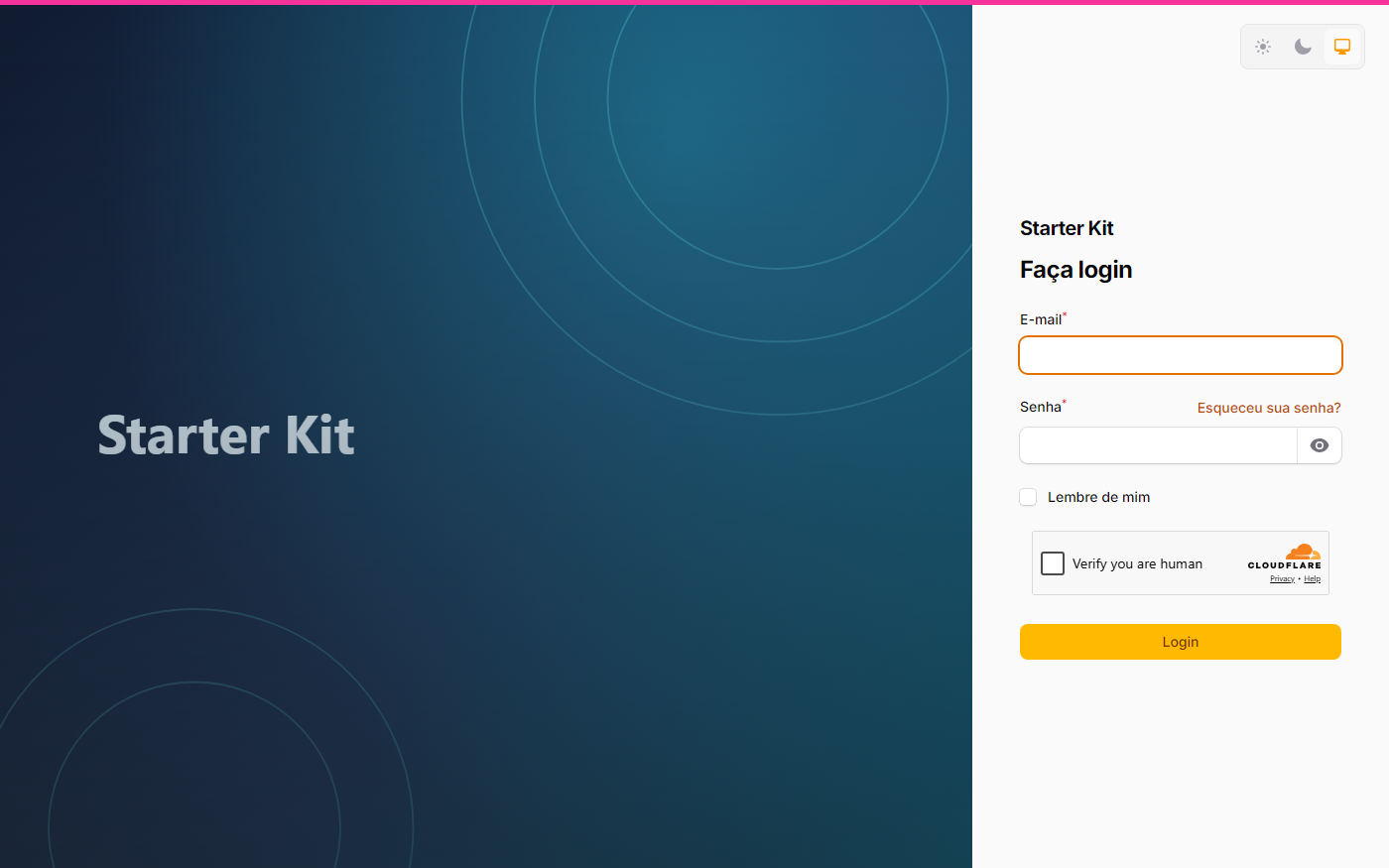
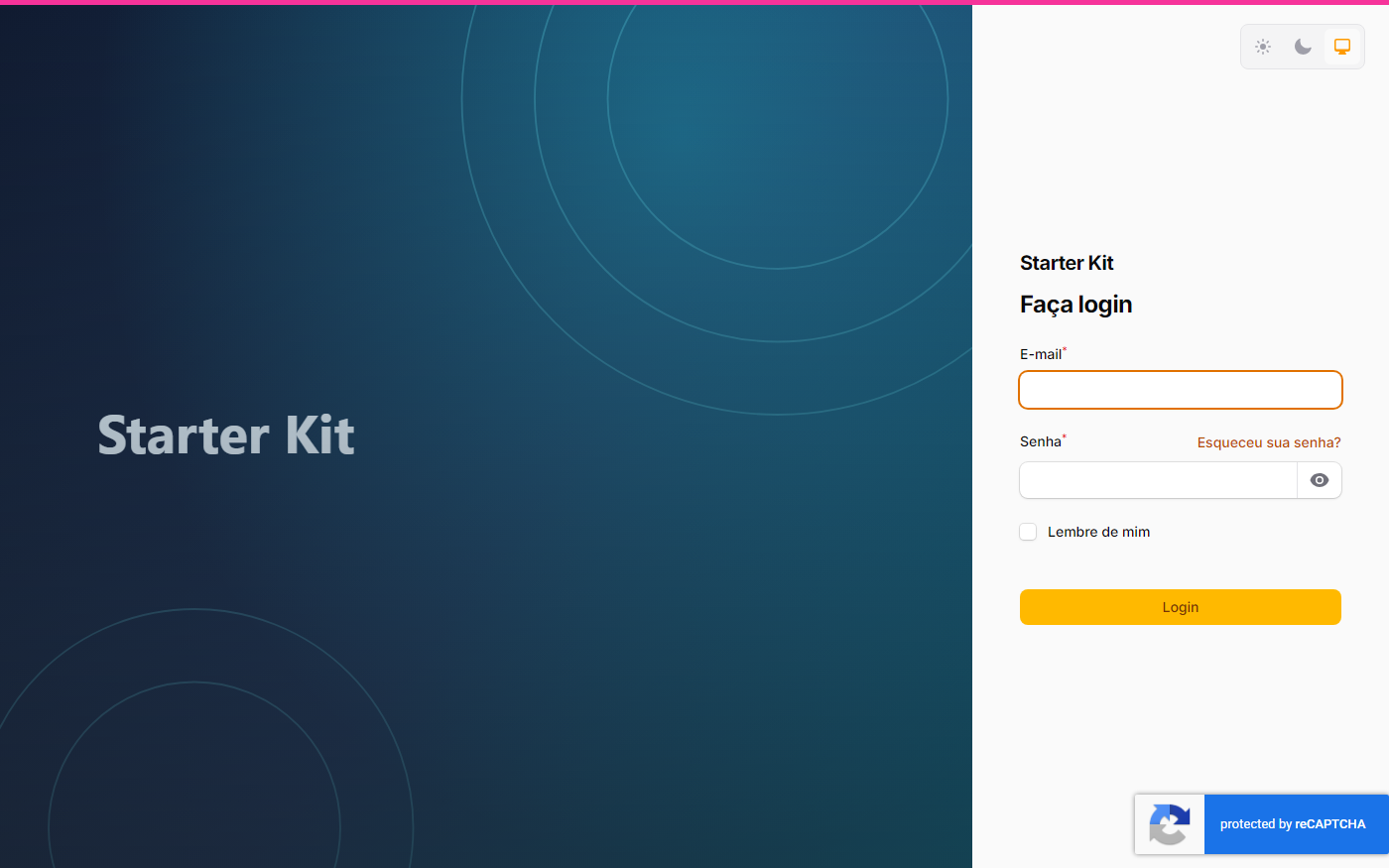
Both screenshots below are the same login screen with only the provider changed — and they show the difference that drives the choice: Turnstile asks for a click, reCAPTCHA v3 asks for nothing.
| Cloudflare Turnstile — the checkbox shows up and asks for a click | Google reCAPTCHA v3 — no checkbox, just the badge in the corner |
|---|---|
 |  |
The widget and the provider round-trip belong to the ddr/filament-captcha package; the kit adds what the package does not do: the decision to show up comes from the Settings screen, failure is closed (provider down = submission refused, never allowed through), every refusal is logged to the autenticacao channel, and the widget resets after each attempt (the token is single-use). One provider at a time:
| Provider | Value | What it looks like |
|---|---|---|
| Google reCAPTCHA v2 | recaptcha_v2 | the “I’m not a robot” checkbox |
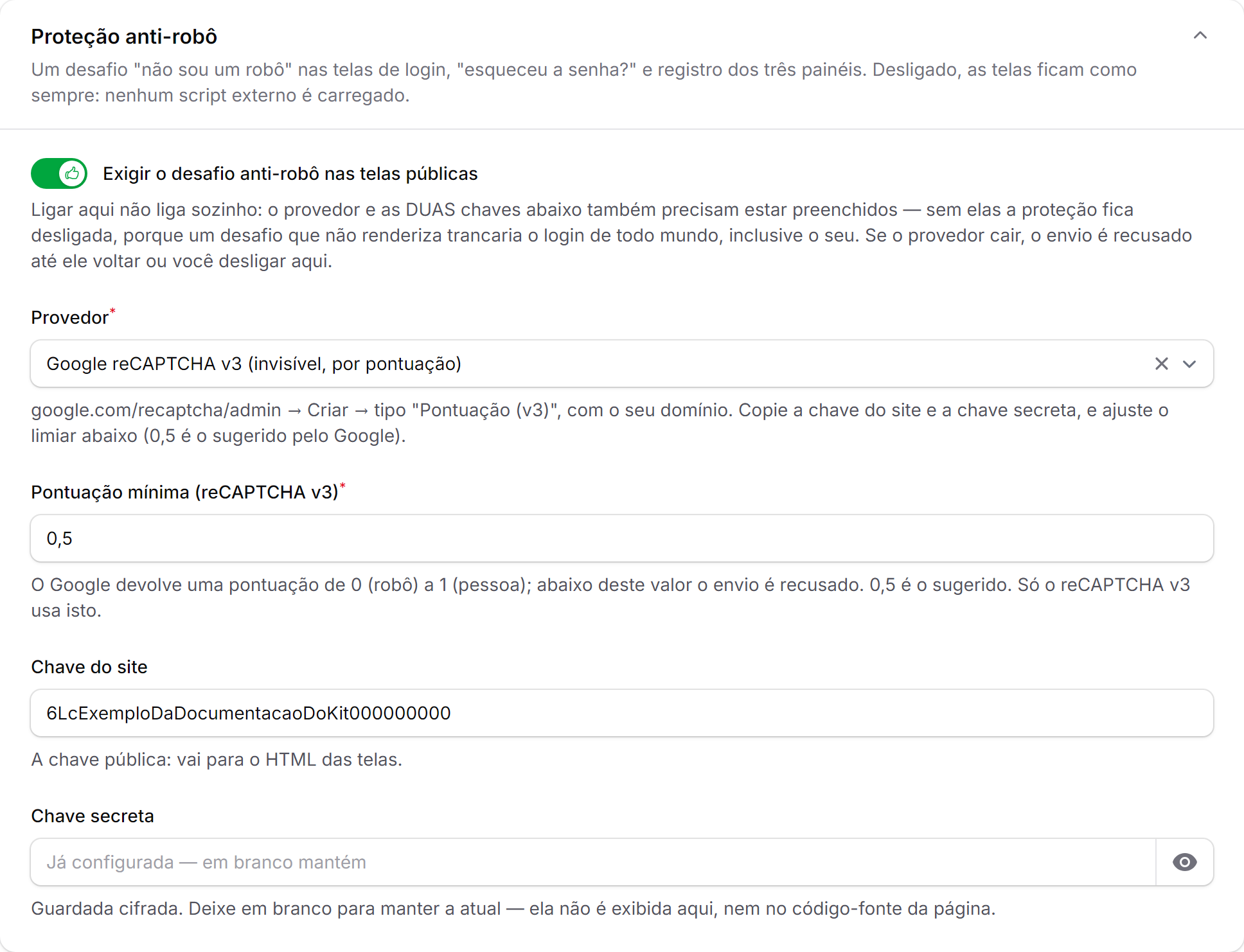
| Google reCAPTCHA v3 | recaptcha_v3 | default; invisible — Google returns a 0–1 score and the kit refuses anything below the minimum score (0.5 by default). It never asks for a click |
| Cloudflare Turnstile | turnstile | no tracking, no cost |
| hCaptcha | hcaptcha | — |
Anyone with the View:ConfiguracoesDoKit permission enables and configures it in /admin/configuracoes-do-kit › Login › Proteção anti-robô: provider, site key (rendered in the HTML), secret key (encrypted in the database, never displayed) and, for v3, the minimum score. In .env the same keys are KIT_ANTI_ROBO, KIT_ANTI_ROBO_PROVEDOR, KIT_ANTI_ROBO_CHAVE_DO_SITE, KIT_ANTI_ROBO_CHAVE_SECRETA and KIT_ANTI_ROBO_PONTUACAO_MINIMA — the database wins. The package’s own env vars (CAPTCHA_DRIVER, RECAPTCHA_V2_SITEKEY, …) are ignored on purpose: one setting, one owner.
The default provider does not turn anything on. recaptcha_v3 is only which provider applies if someone enables the protection and saves both keys — the protection is born disabled and, without the keys, stays disabled even with the toggle on. No challenge is loaded on any screen until that decision is made on the Settings screen (or in .env).
Turning it on is not enough by itself: without both keys, or with a provider outside the list, the protection stays off (with a log warning) — a required field nobody can fill would lock everyone out of the login, you included.
In the local environment the challenge stays off by default, even when fully configured: production keys reject localhost, and the widget would render an error instead of the checkbox. To see the challenge under APP_ENV=local (with keys that accept localhost, or Google’s / Cloudflare’s test keys), set KIT_ANTI_ROBO_LOCAL=true or the “Aplicar também em ambiente local” toggle in the same section — the toggle only shows up when the app runs with APP_ENV=local, because anywhere else it decides nothing: ConfiguracaoDoLogin::antiRobo() only reads that key in the local environment. Hiding the field does not erase the stored value; it stays in the database, and stays without effect outside local.
If you were already using the protection before v0.22 with the value recaptcha, the settings migration converts it to recaptcha_v2 on its own — run php artisan migrate.
The package adoption study and rejected alternatives are in
wikis/specs/feat/adotar-ddr-filament-captcha/adotar-ddr-filament-captcha/; the original decision to have the protection is inwikis/specs/feat/recaptcha-nas-telas-publicas/recaptcha-nas-telas-publicas/.