Saved views and continuous loading
Two table options that are born disabled and are switched on in the Tables tab of
/admin/configuracoes-da-aplicacao, with no deploy:
| Option | What it does | Package |
|---|---|---|
| Saved views | the user saves the current slice of a list (filters, search, sort, grouping and columns) under a name and comes back to it in one click | sehsah/filament-remember-table |
| Table loading | instead of numbered pages, the table grows by scrolling or through a Load more button | asignua/filament-infinite-scroll |
Both came out of the kit’s third package study round, which evaluated five plugins and adopted three — the third one is the PHPStan extension described in Code quality. The two left out, and why, are in Installed packages.
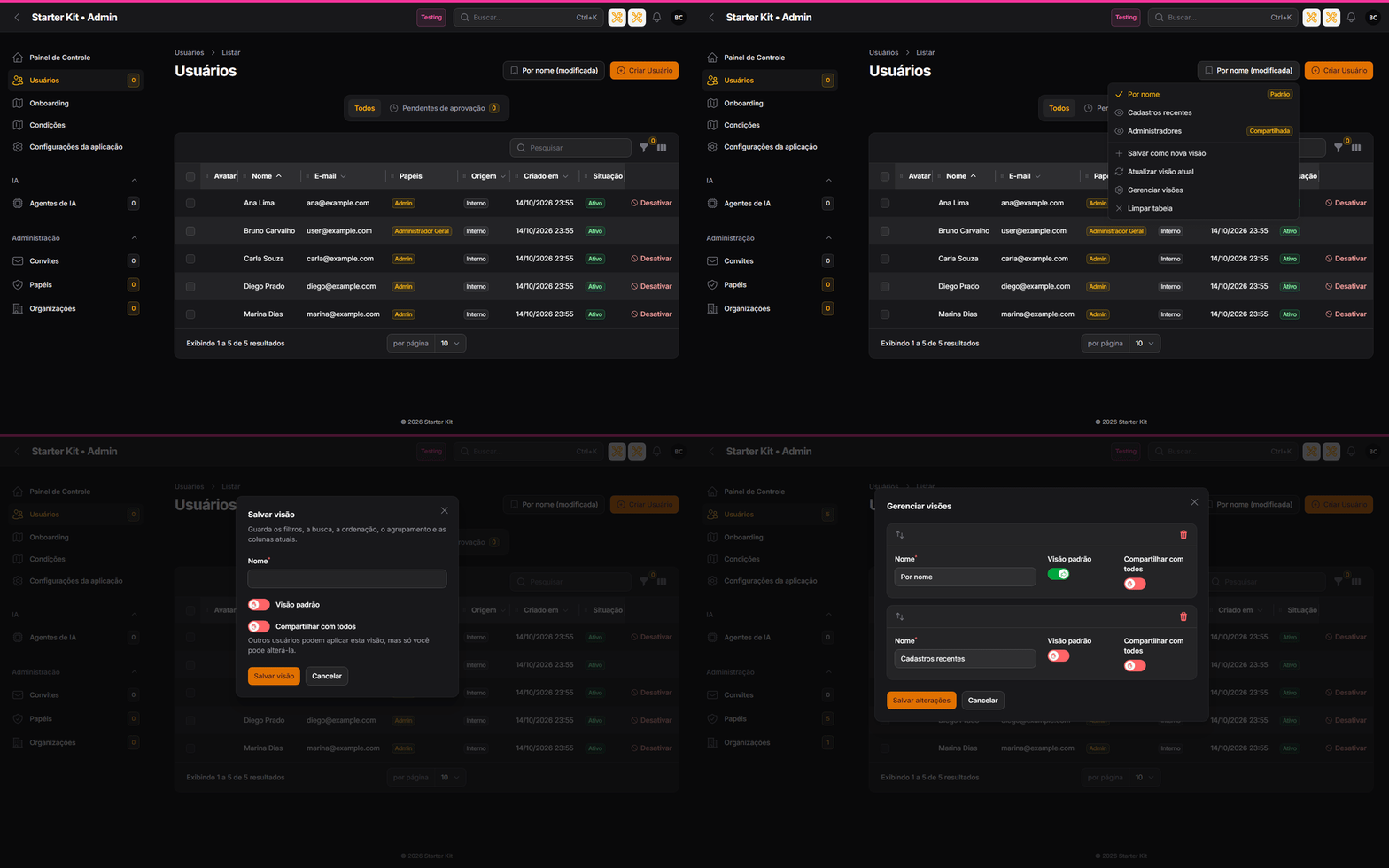
The same animation in dark theme
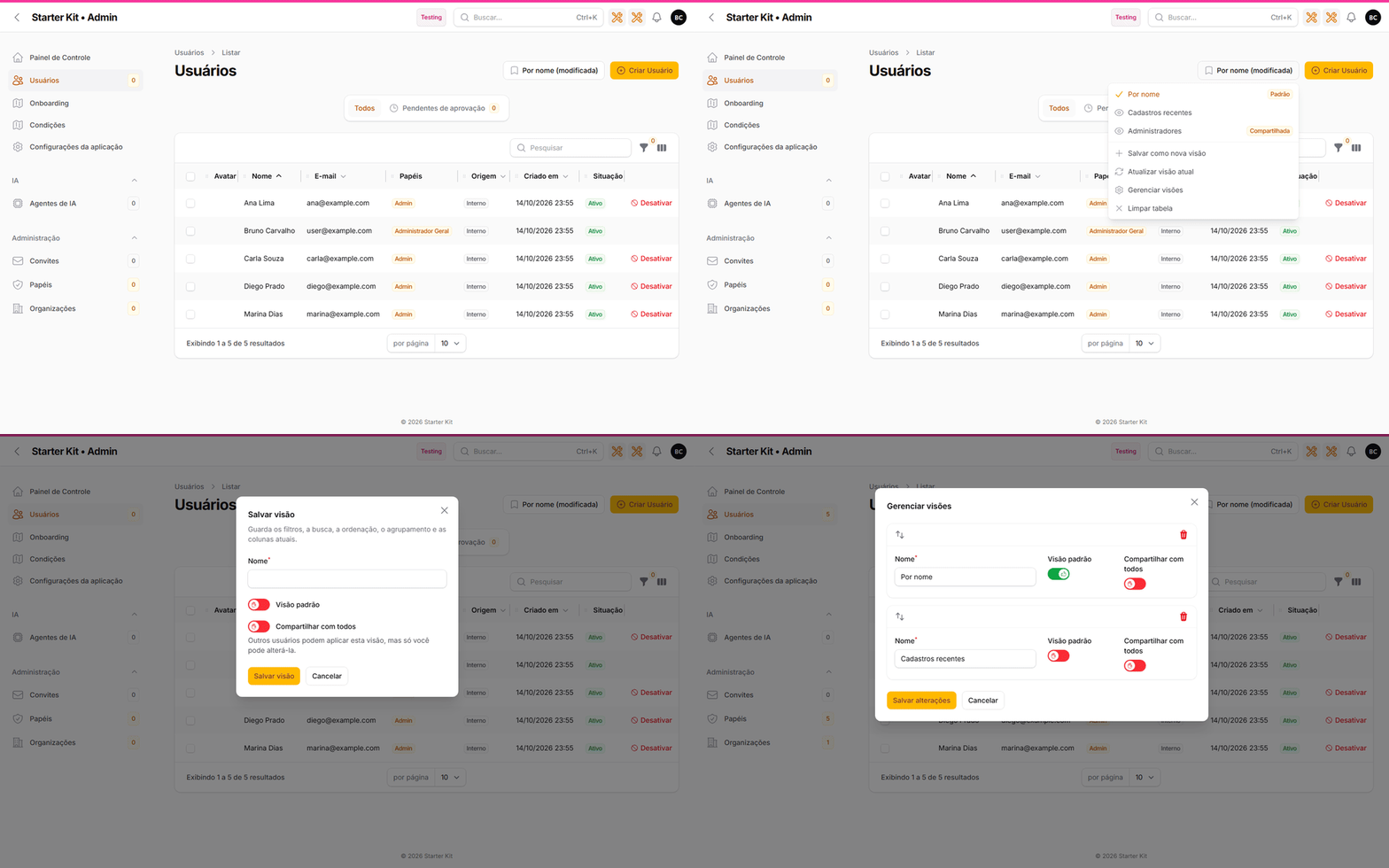
Saved views
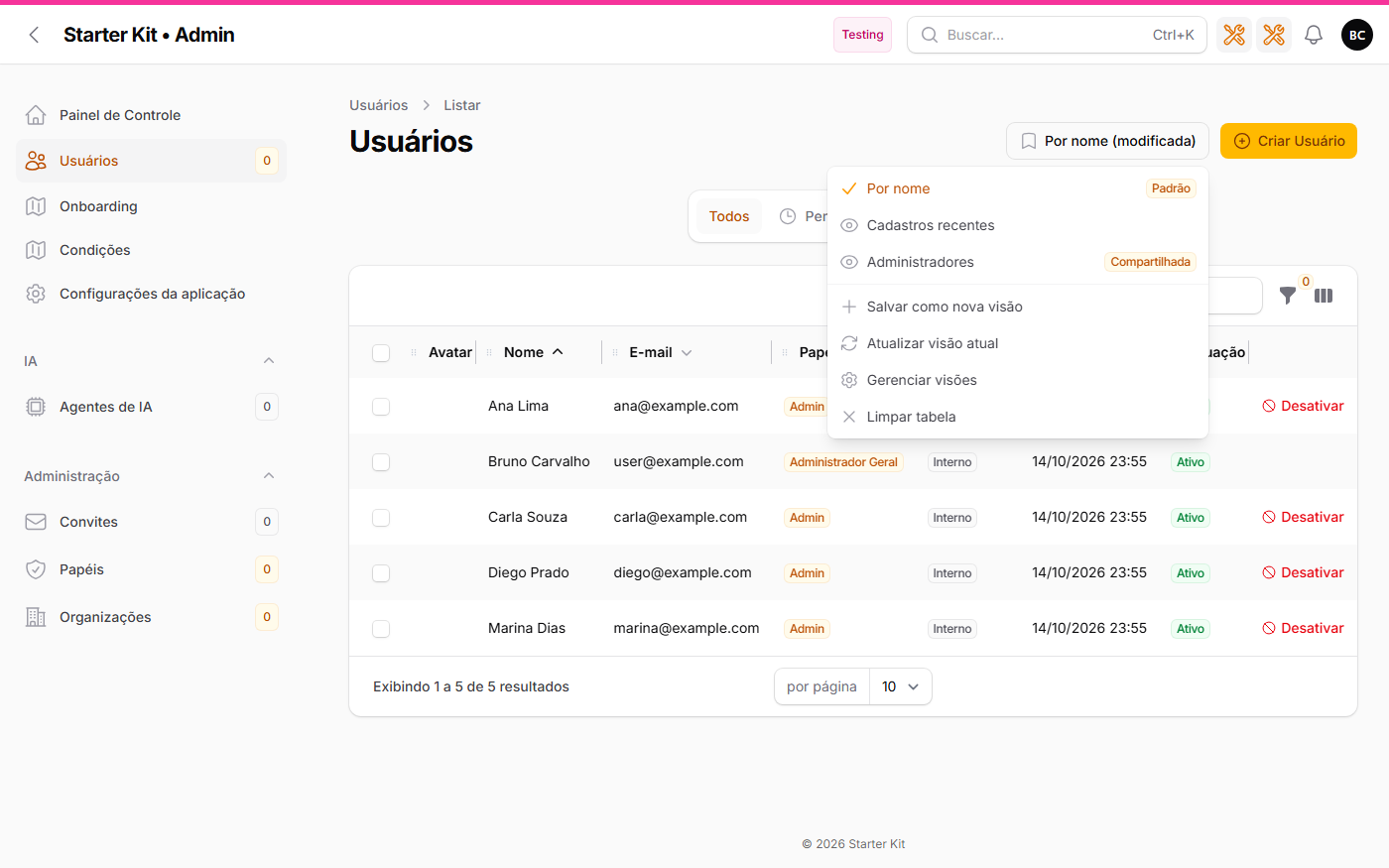
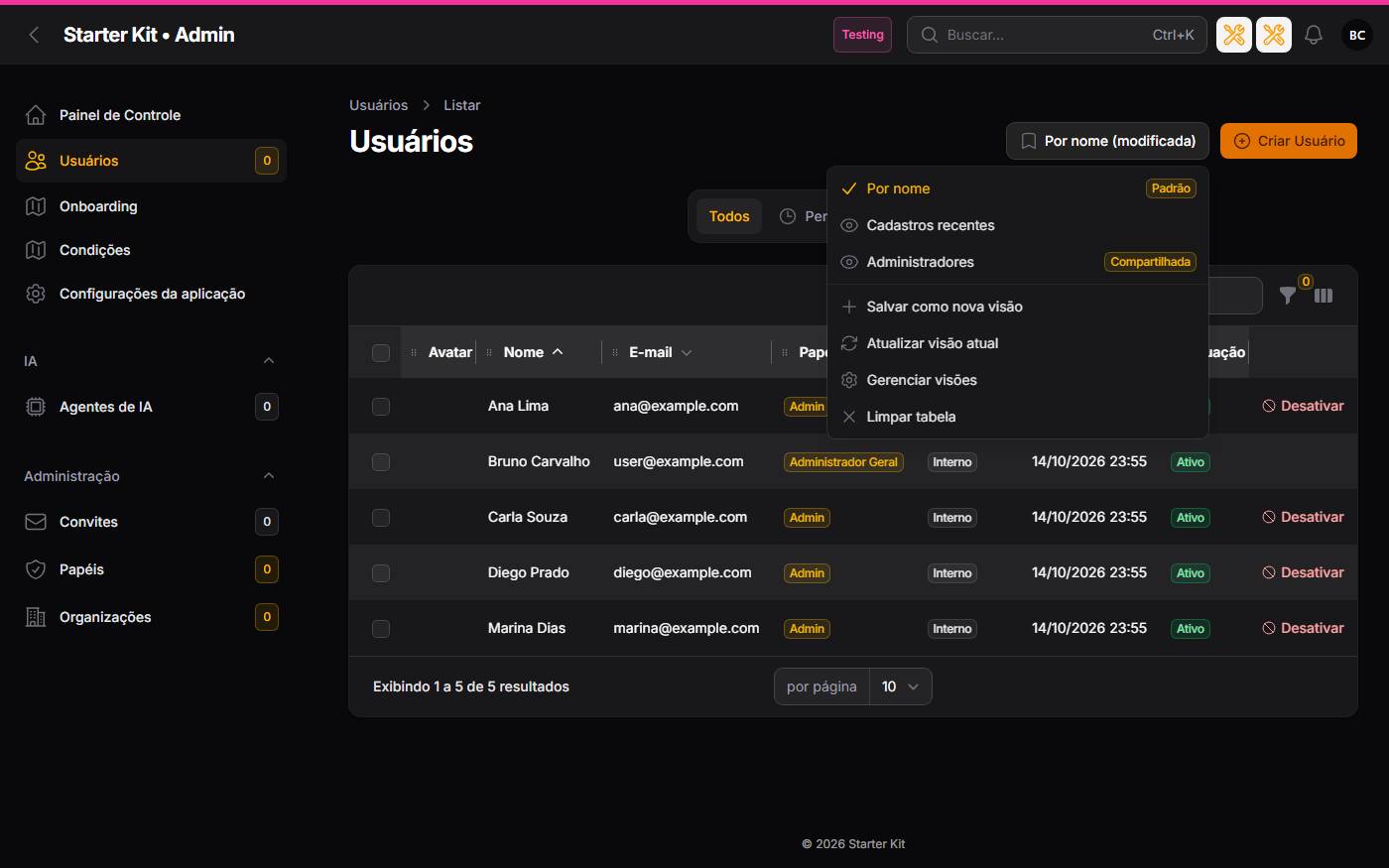
With the option on, every kit list page (users, organizations, invitations, AI agents, roles, projects, AI runs and Composer packages, across the three panels) gets a Views button in the header, before Create.
What a view stores
Filters, search, per-column searches, sort, grouping, the visible columns and their order, and the
active tab of the list. No data: it is a slice, applied on top of what the user can already see.
Column widths stay with resized-column, and the last slice used is still remembered in the session
(the Remember filter, search and sort option) — views are several named slices, in the
database.
Who can use it
Saving, updating, managing and clearing require the Usar:VisoesDeTabela permission, granted
to roles on the roles screen. On a fresh install the administration roles of the three panels get
it; the common user (panel_user) does not — the administrator grants it if they want. Applying
a view the user already sees requires no permission.
Whose view is it
| Rule | What happens |
|---|---|
| Owner | a view belongs to whoever saved it and to the list it was saved on; only the owner updates, renames, reorders or deletes it |
| Organization | in the organization panel, the view belongs to the open organization: it does not show up in another one, not even for the same user |
| Default | the user marks a view as default and it opens with the list by itself (unless the URL already carries a filter, search, sort, grouping or tab) |
| Shared | with Share views with everyone enabled in the settings, the owner can mark the view as shared: every user of the panel (in an organization, every member of it) sees and applies it, labelled Shared; only the owner changes it |
| Link | the applied view goes into the URL (?view=12): the link opens the list already in that slice for whoever can see it |
| Modified | changed a filter after applying a view? The button shows Name (modified) and offers Update current view to the owner |
| Robustness | a filter, column, grouping or tab that no longer exists is ignored when applying; a new column shows up normally |
| Limit | up to 50 views per user on each list |
| Light theme | Dark theme |
|---|---|
 |
 |
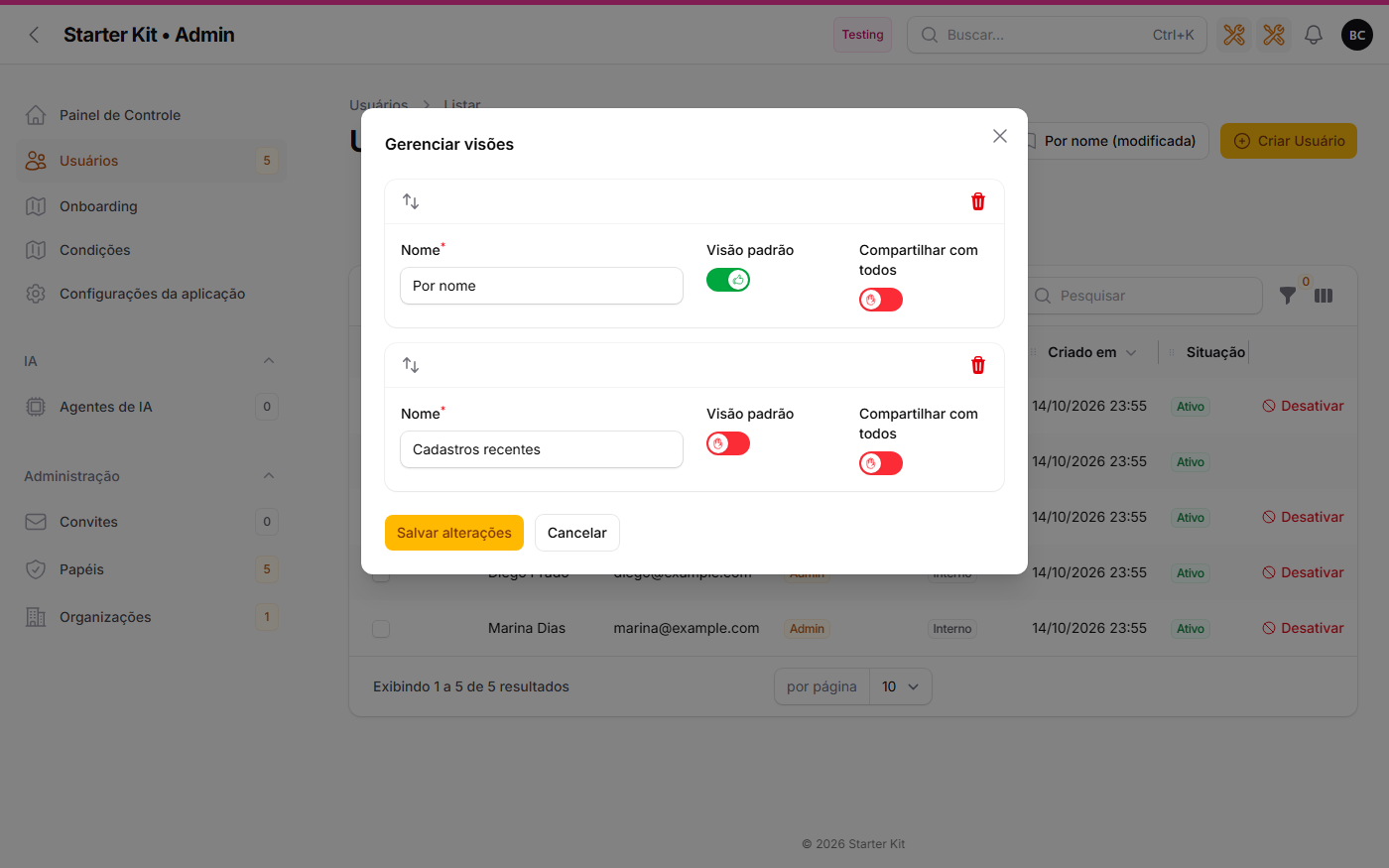 |
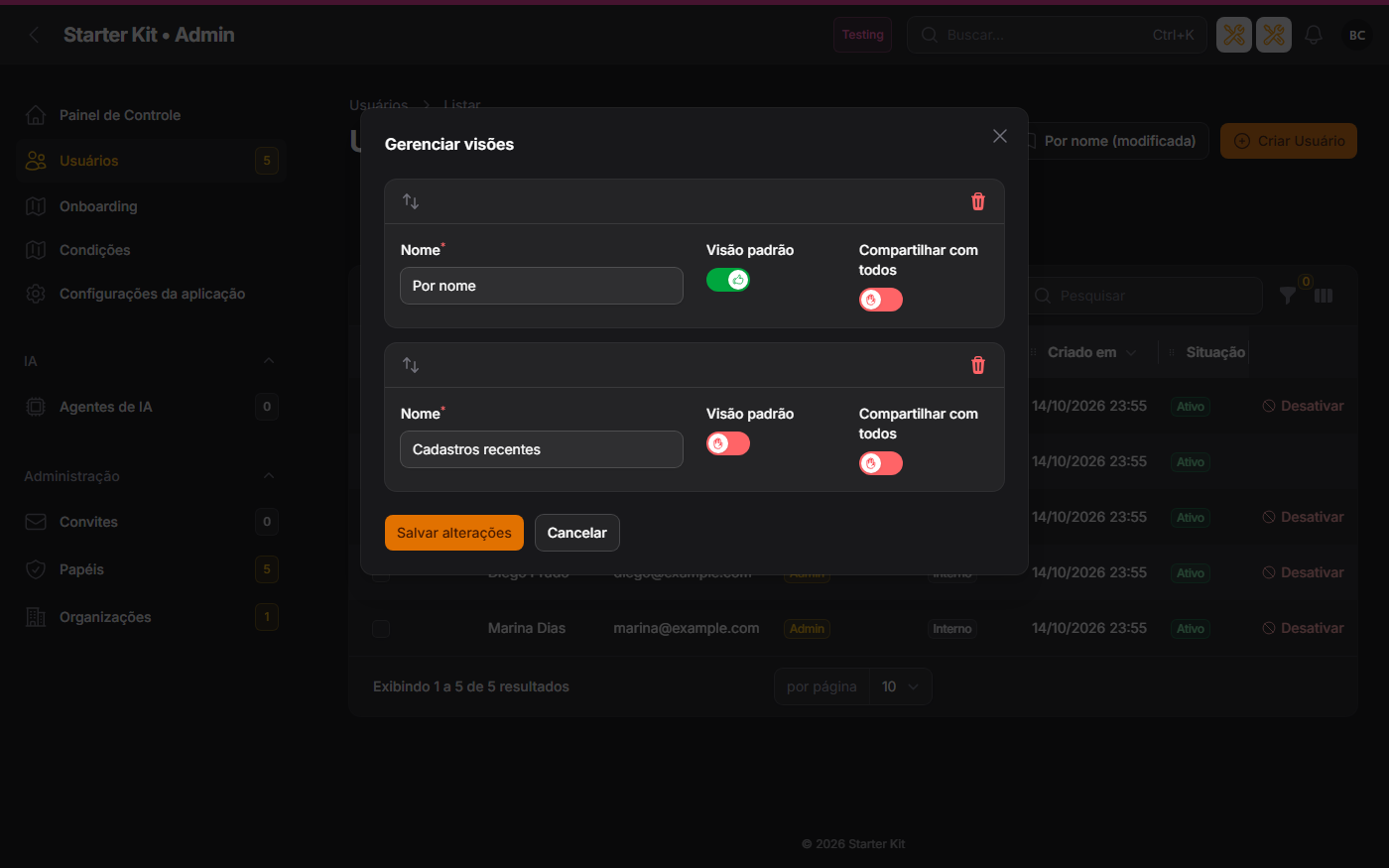 |
Switching off does not delete
Switching the option off hides the button and the actions on every list; saved views stay in the database and come back when the option is switched on again. With the option off, no view query is made at all.
On a list of your own
A new Resource created in your project joins with two lines on the list page, as After creating resources describes:
use App\Filament\Concerns\VisoesDeTabela;
class ListProdutos extends ListRecords{    use VisoesDeTabela;
    protected function getHeaderActions(): array    {        return [            ...$this->getTableViewActions(),            CreateAction::make(),        ];    }}
Preset views in code (fixed filters everyone sees and nobody edits) are a package feature the
kit does not ship: implement getPresetTableViews() on your page, as the remember-table
documentation describes. Third-party plugin Resources get no button — there is no way to edit their
page.
Table loading
A three-value field that applies to every table in the three panels, plugin tables included:
| Value | How the table loads |
|---|---|
| Pagination (the default) | today’s numbered pages; nothing changes |
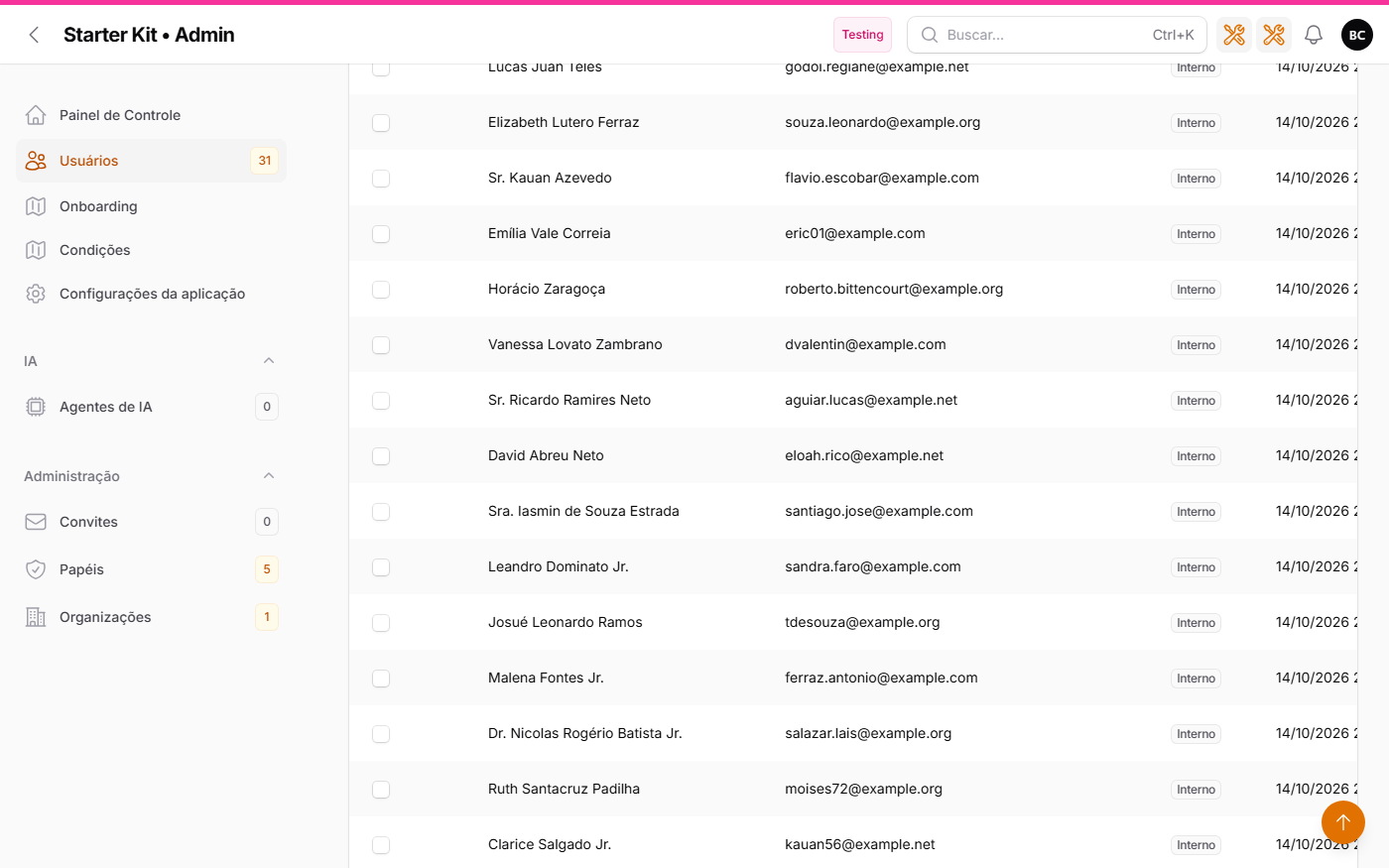
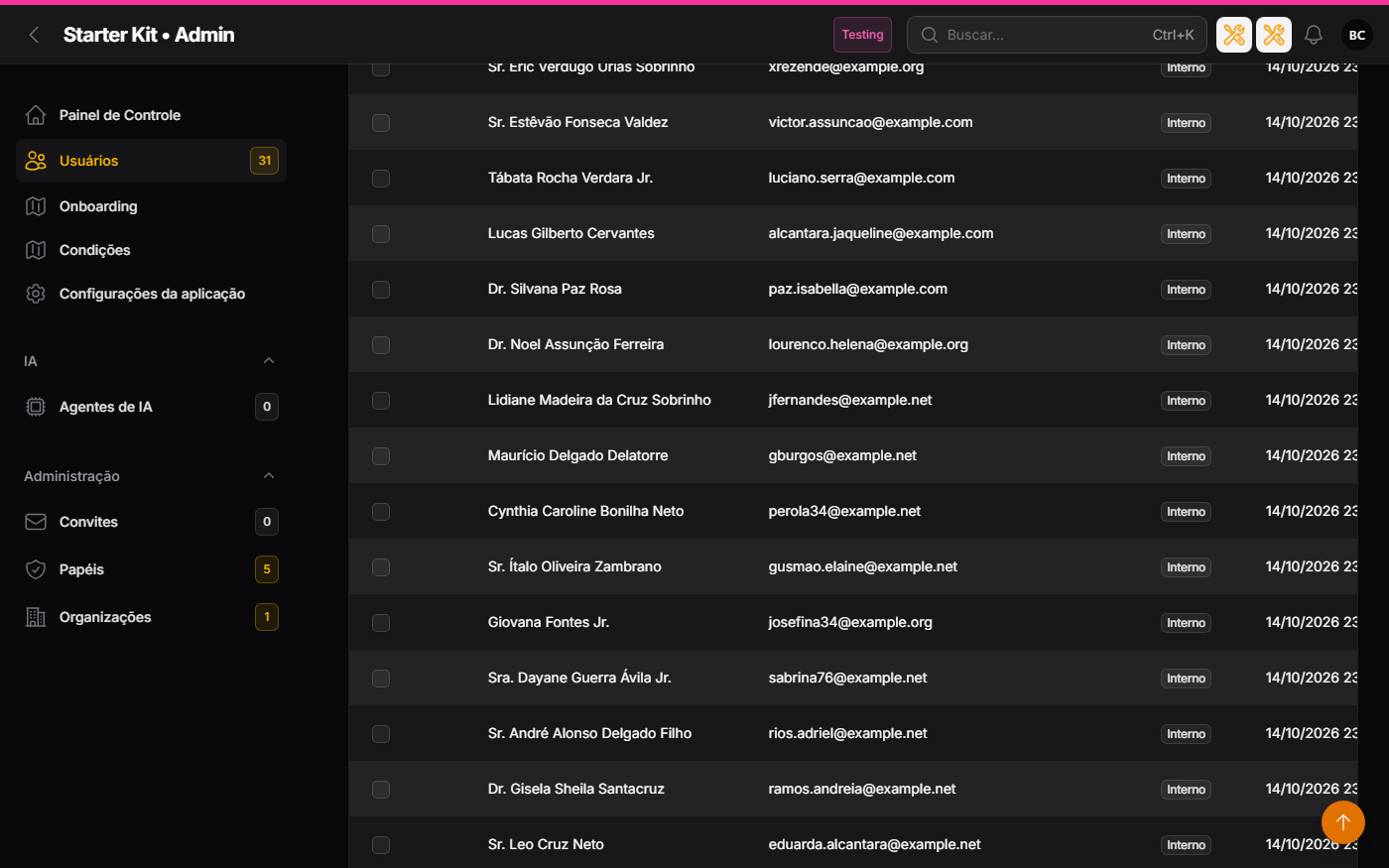
| Infinite scroll | the next chunk loads by itself when the end of the table comes into view |
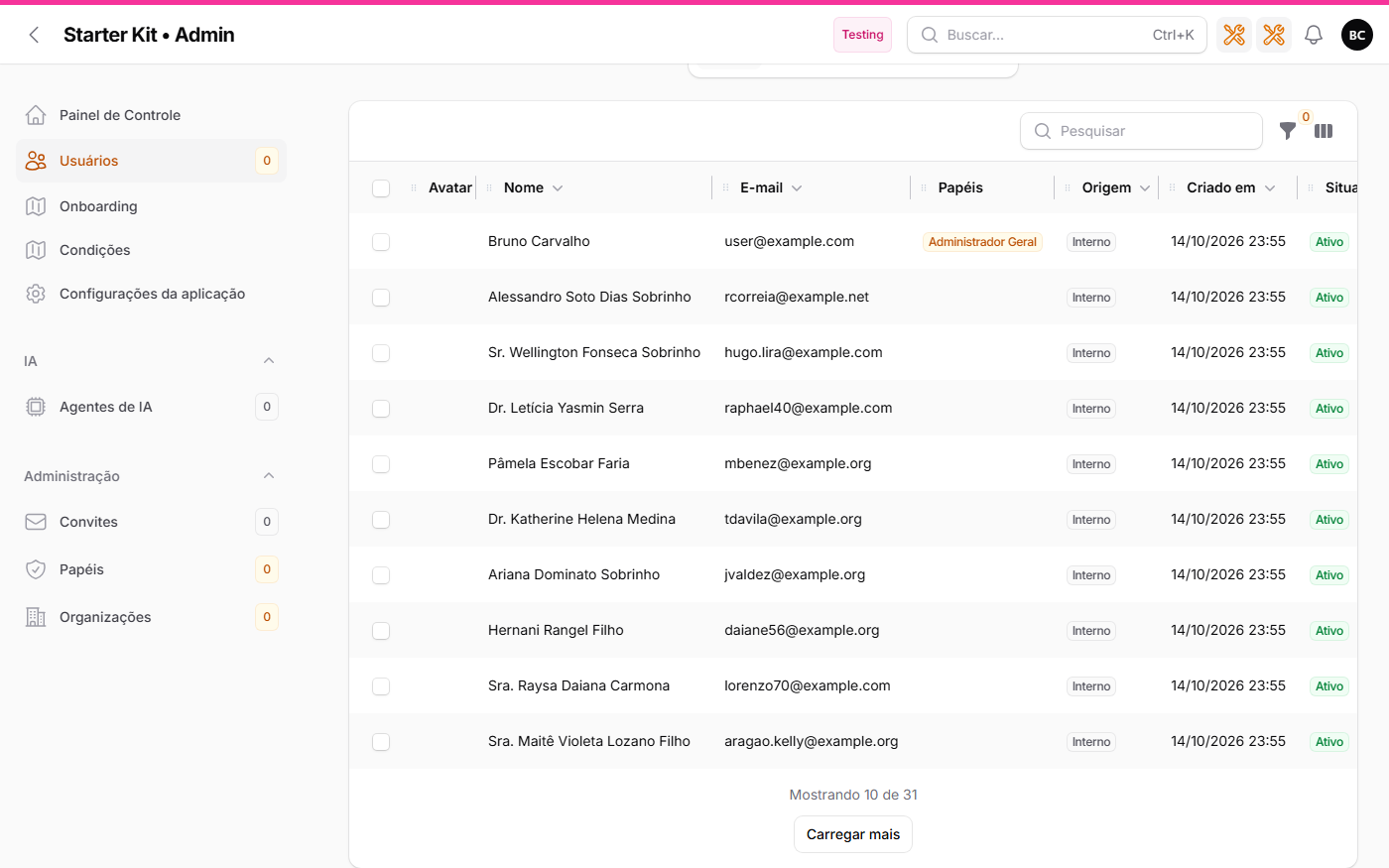
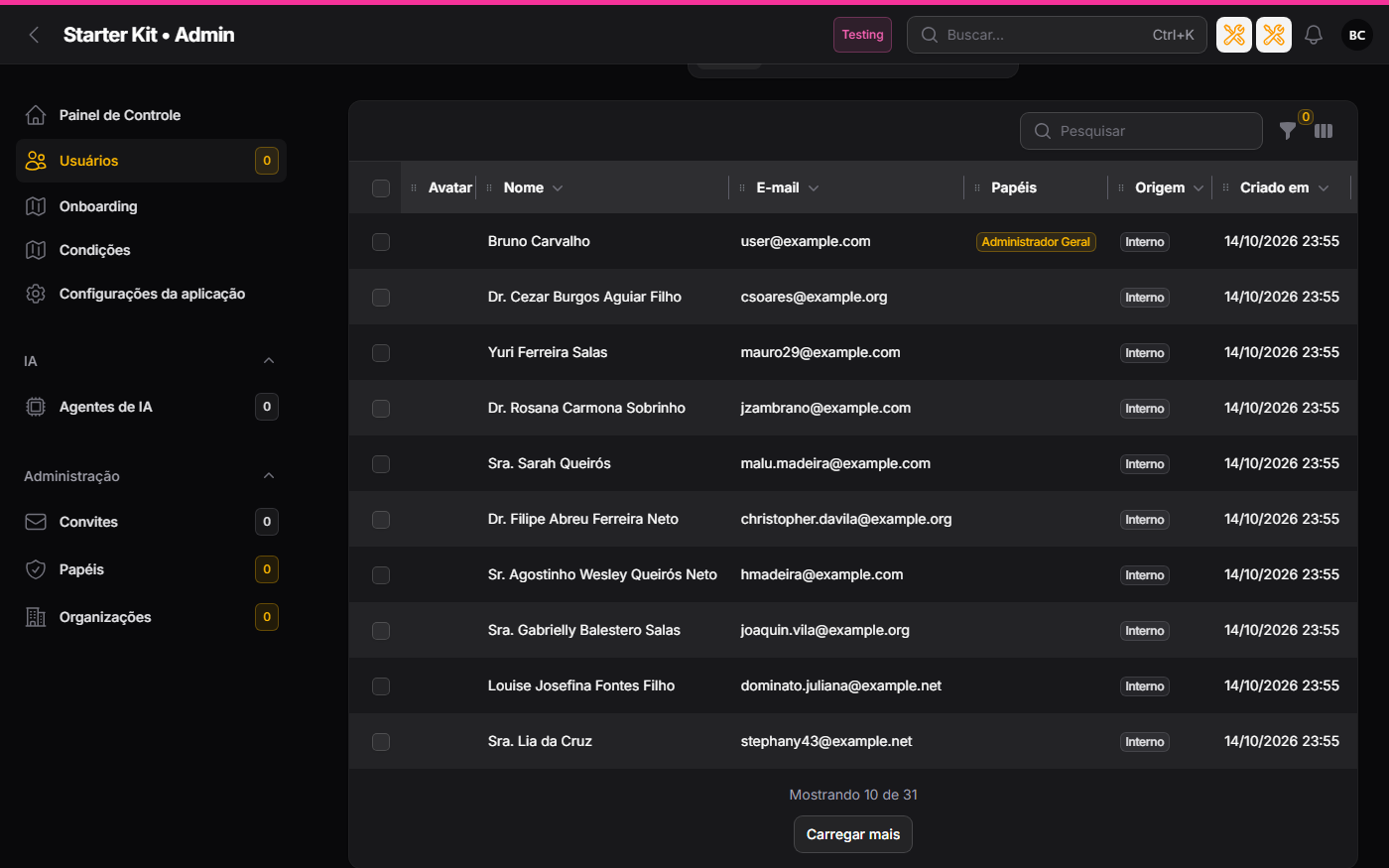
| “Load more” button | the next chunk loads on click |
In either continuous mode:
- each chunk is the size of Rows per page (the option next to it, on the same tab);
- the footer reads Showing 10 of 120 while there is more, and All 120 records loaded at the end;
- search, filter, sort, grouping or a tab change restart at the first chunk;
- there is a ceiling of 500 rows on screen: at the ceiling the footer asks for a search or filter to narrow the list;
- the “records per page” selector disappears, because the mode decides the size;
- selection, bulk actions and grouping keep working — the table is still a single query, with more rows.
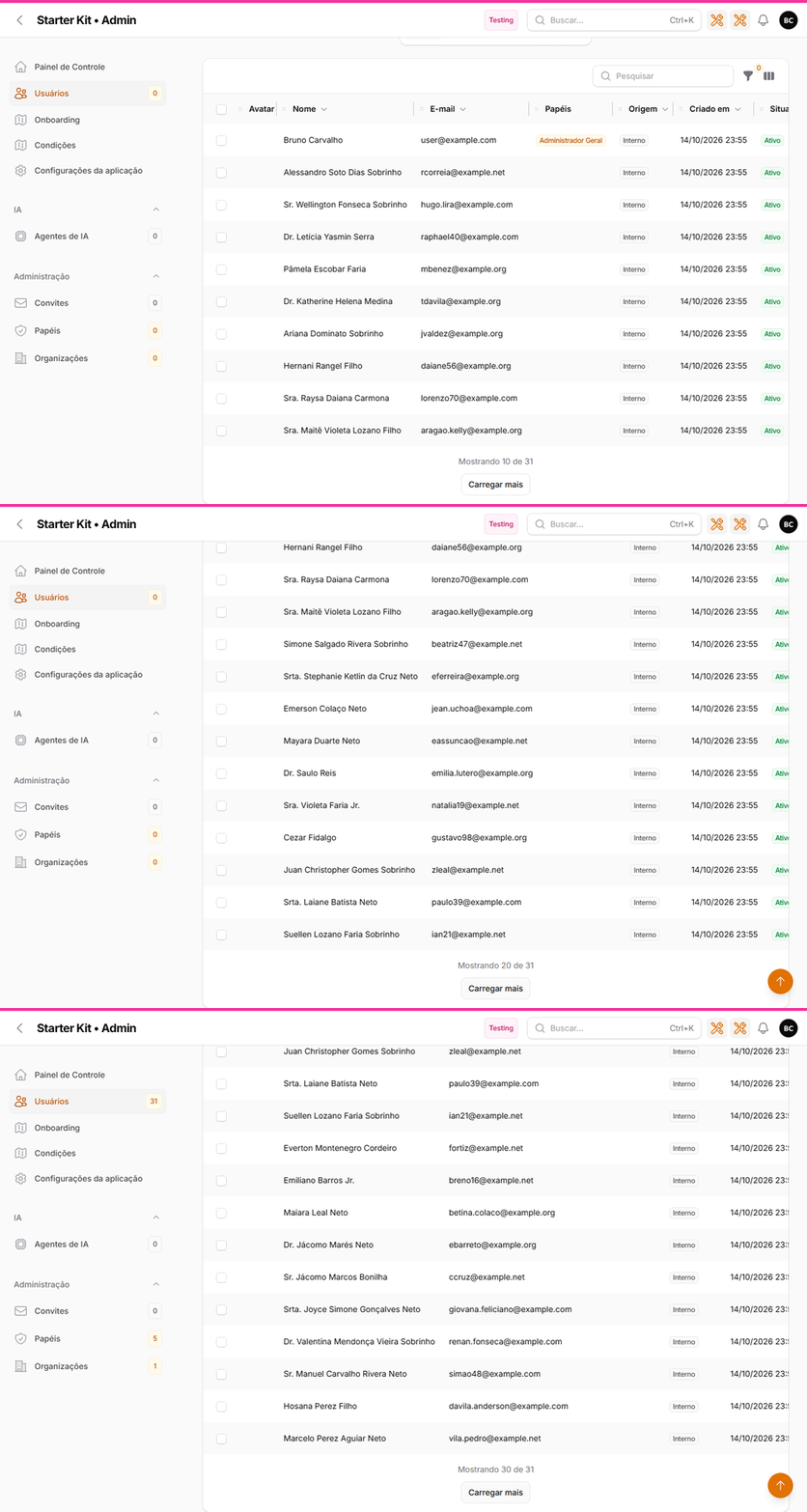
The same animation in dark theme
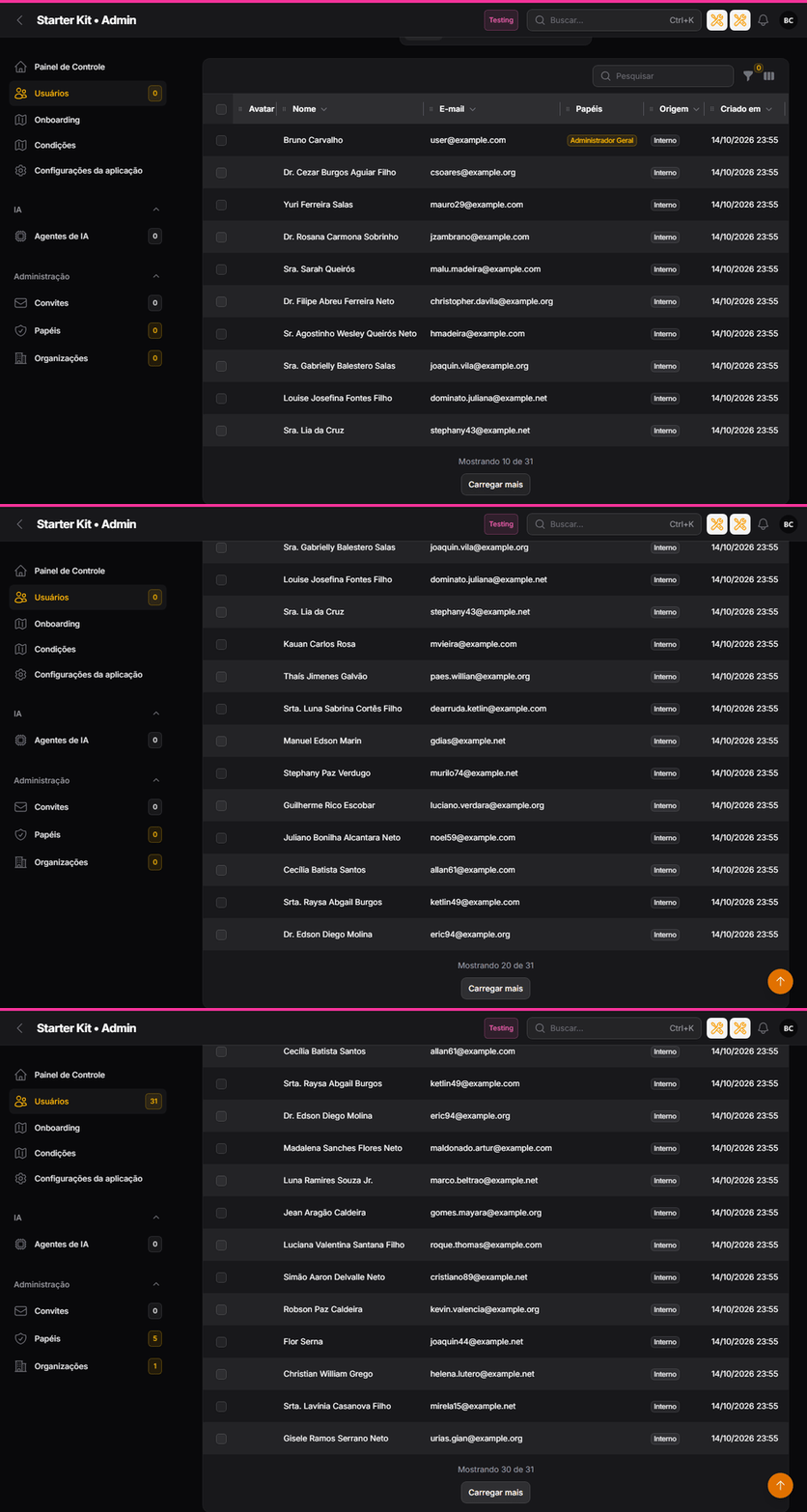
| Infinite scroll (light) | Infinite scroll (dark) |
|---|---|
 |
 |
| “Load more” button (light) | “Load more” button (dark) |
|---|---|
 |
 |
Continuous mode only applies to Filament’s default pagination. A table that switches to simple or
cursor pagination (paginationMode() in the resource’s table()) gets no footer and, with loading set
to scroll or button, is stuck on the first page: the package hook resets the page on every request. No
kit table uses those modes; if your project needs them, keep loading on paginacao.
Configuration
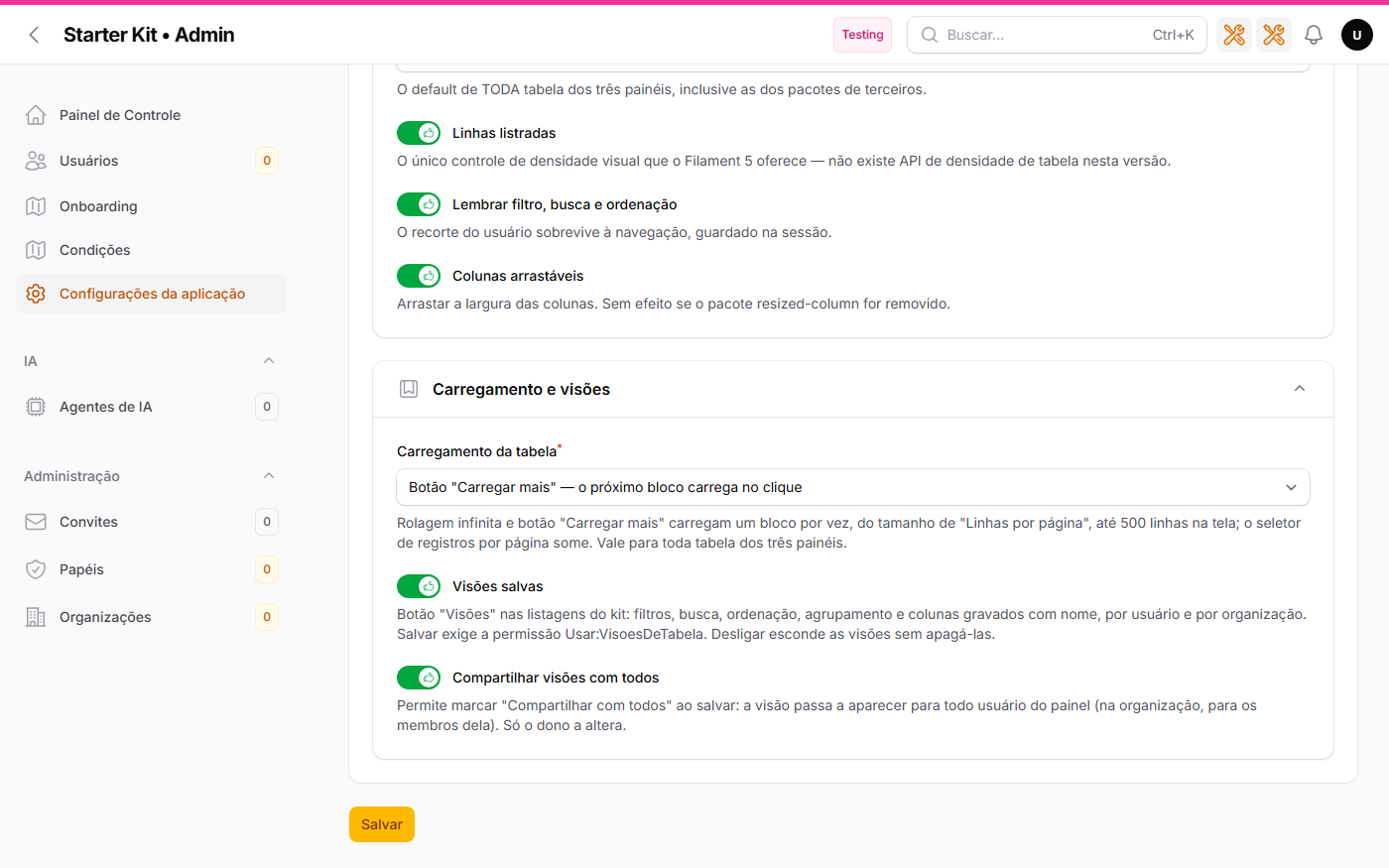
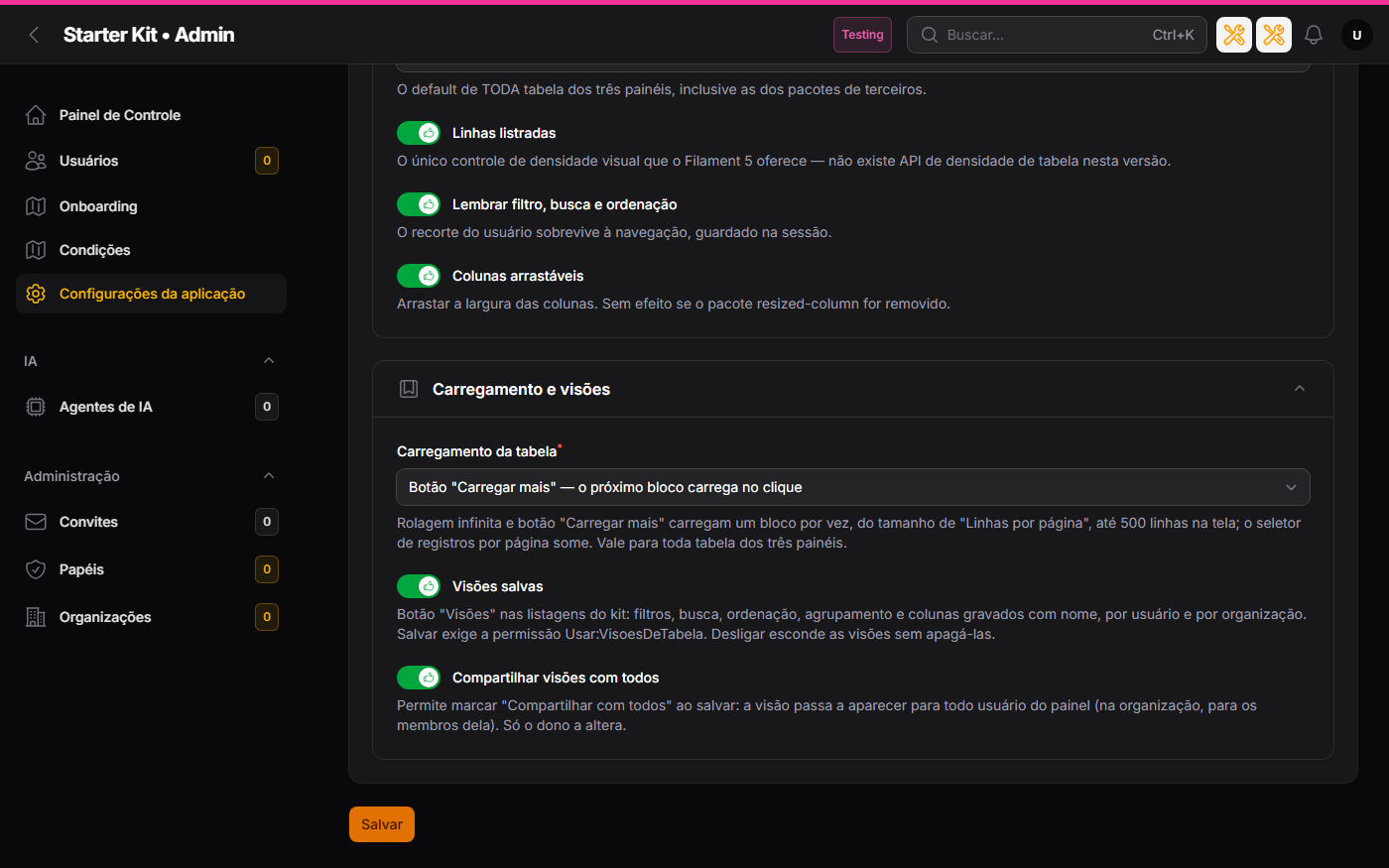
In the Tables tab of /admin/configuracoes-da-aplicacao:
| Option | What it defines | Born |
|---|---|---|
| Table loading | Pagination, Infinite scroll or "Load more" button |
Pagination |
| Saved views | the Views button on the kit’s lists | off |
| Share views with everyone | the Share with everyone option when saving and managing (only shown with views on) | off |
The three exist in .env as seed and fallback — KIT_TABELA_CARREGAMENTO (paginacao, rolagem
or botao; any other value falls back to paginacao), KIT_TABELA_VISOES_SALVAS and
KIT_TABELA_VISOES_COMPARTILHADAS — and, as in the rest of the tab, the database wins over
.env. More in Kit settings.
| Tables tab (light) | Tables tab (dark) |
|---|---|
 |
 |
The five packages evaluated and the criterion
The round had a single criterion: a package adds value to the kit if it delivers a capability the kit lacks, fits what the kit already is (multi-organization, no custom Filament theme, PHPStan level 8, every option switchable in the settings) and can be wrapped at a single point of the code. Verdict per package, with the reason and what would reopen the decision:
sehsah/filament-remember-table— ADOPTED: saved views with organization scope and no Blade of its own.asignua/filament-infinite-scroll— ADOPTED: one macro in the globalconfigureUsing(), governed by the Tables tab.happenv-com/filament-phpstan-macros— ADOPTED (development only): the new macro is typed with no exception inphpstan.neon.spiggle/list-view— REJECTED. Reason: list mode rebuilds the columns (badge, lightbox and the kit’s custom columns do not survive), the preference lives in the session with no organization and the kit already stacks rows into cards on mobile. Reopen when: a project built on the kit asks for an alphabetical list with initials on desktop.happenv-com/filament-saved-views— REJECTED. Reason: the same requirement asremember-table, with no organization scope and with its own Blade in Tailwind utilities that requires a custom Filament theme. Reopen when:remember-tableis abandoned, or the kit adopts a custom theme and the package gains organization scope.
Dark theme
Both features follow the panel theme with no configuration: the button, modals and badges of the views are Filament components, and the continuous-loading footer carries its dark colour in the package’s own stylesheet. The images on this page show both themes.
Cost per request
- Views off: zero extra queries on any list.
- Views on: four small queries when the list opens (the user’s views, the default view and two “does this user own a view?” checks that decide whether Manage shows up) and three on each later table refresh. All filter by table and user, with an index.
- Continuous loading: each chunk is a request that re-runs the table query with a larger
LIMIT, plus the total count — that is how the package keeps selection and grouping in a single query. A chunk redraws every row loaded so far, not only the new ones: on a list that queries something per row (roles, avatar), that cost grows with the rows on screen, which is why the 500-row ceiling exists. WithPagination, nothing changes.